

🎯 Goal
Operate your Agentic Wallet in natural language directly inside Binance AI Pro — nothing to install.
The Skills and the baw CLI are already built in.
✅ Prerequisites
- Binance App (Native) 3.22.2 or later — update the App before you start. The Mini Program version is numbered separately.
- A Binance account with AI Pro enabled.
- An MPC Wallet created in the Binance App — required before an Agentic Wallet can be created. See Install Agentic Wallet.
- The base tier of Binance AI only answers questions. It has no Agent execution capability and cannot operate the wallet.
Came from the Agent ID campaign?
Then you already have an Agentic Wallet. Claiming an Agent ID creates or binds one along the way, and funds it with the BNB you deposited for gas — so the prerequisites above are already met. Skip straight to Create / Sign in and start operating it in AI Pro.
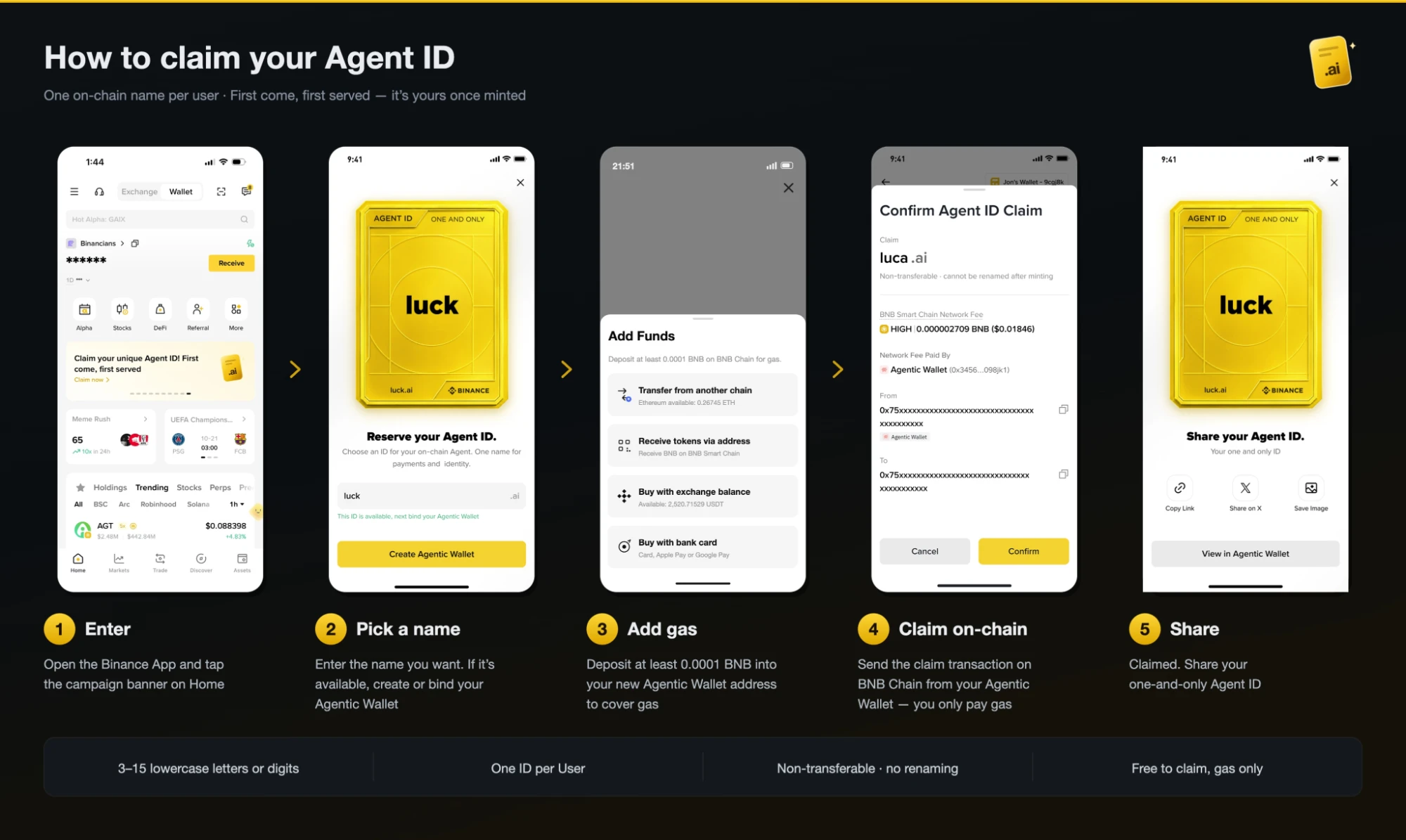
If you haven't claimed one yet, claiming happens in the Binance App — tap the campaign banner on the home screen, or open web3.binance.com/agent-id, which hands off to the App. The flow is five steps:
| Rule | Detail |
|---|---|
| Name format | 3–15 lowercase letters or digits |
| How many | One ID per user |
| Changes | Non-transferable, and cannot be renamed after minting |
| Cost | Free to claim — you only pay the BNB network fee |
Step 3 deposits BNB into your Agentic Wallet address, and step 4 sends the claim transaction from that wallet. That is the same wallet AI Pro operates, so whatever BNB is left over after claiming is already there as gas for your first swap or transfer.
Open Binance AI Pro
| Entry | Address | Use it for |
|---|---|---|
| Web | ai.binance.com | Desktop and mobile browsers |
| Universal link | Open in the Binance App | Clicking through from a browser, a document or a message; opens the App if installed |
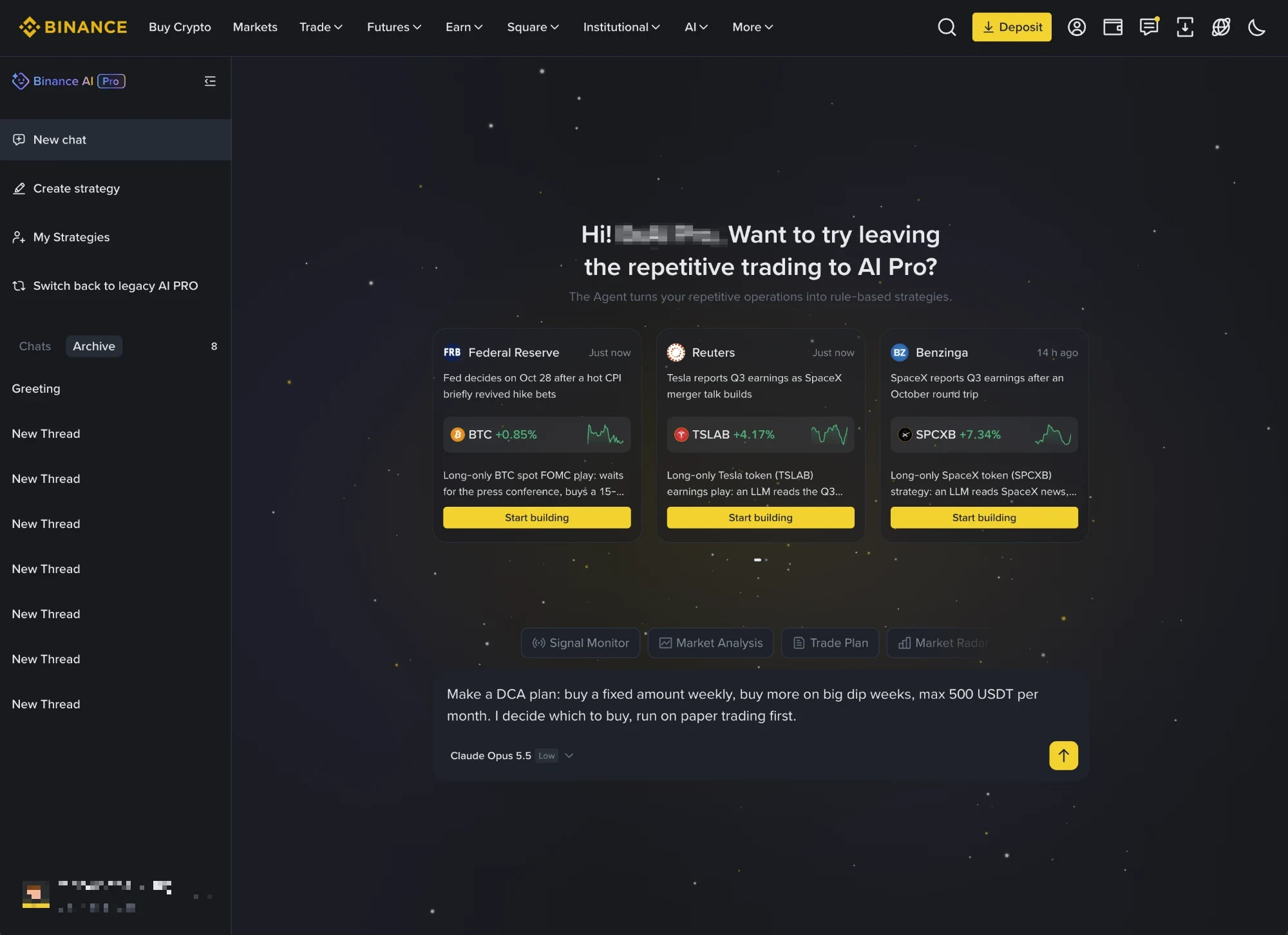
You can also use it inside the Binance App — tap the AI floating button on the home screen. What you see there depends on your plan:
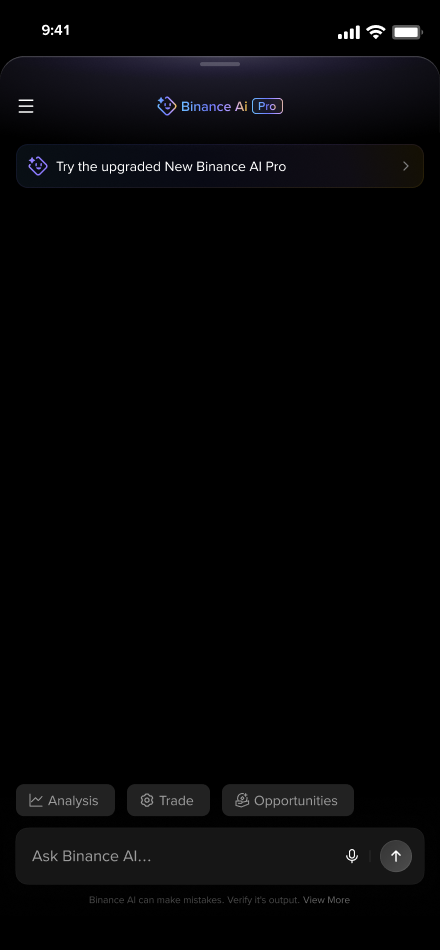
Already an AI Pro user — the panel opens with Try the upgraded New Binance AI Pro, which takes you straight in.
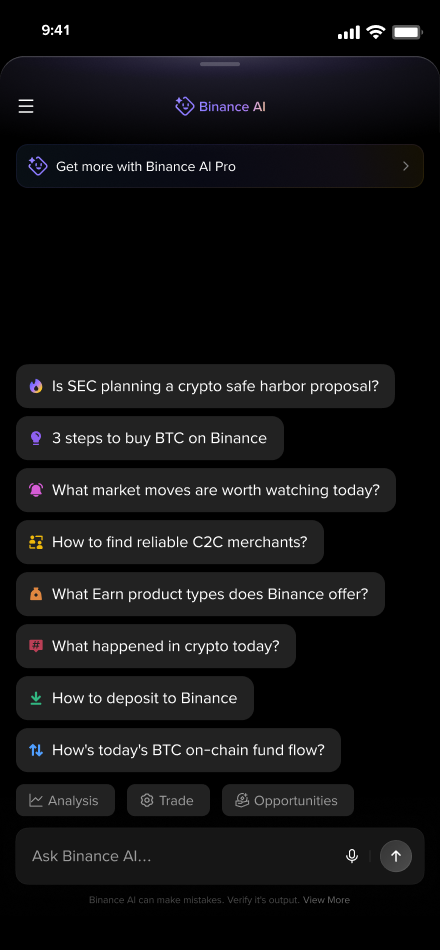
Not an AI Pro user yet — the panel offers Get more with Binance AI Pro.
All examples below are shown on the web (ai.binance.com). The App behaves identically.
Note for iOS users: you can use AI Pro on iOS, but the subscription cannot be purchased inside the iOS app. Subscribe on Android or at ai.binance.com.
For subscriptions, regional availability and other product questions, see the Binance AI Pro FAQ.
1. Create / Sign in
Connect the wallet first:
"Sign in to Binance Agentic Wallet"
"登录 Binance Agentic Wallet"
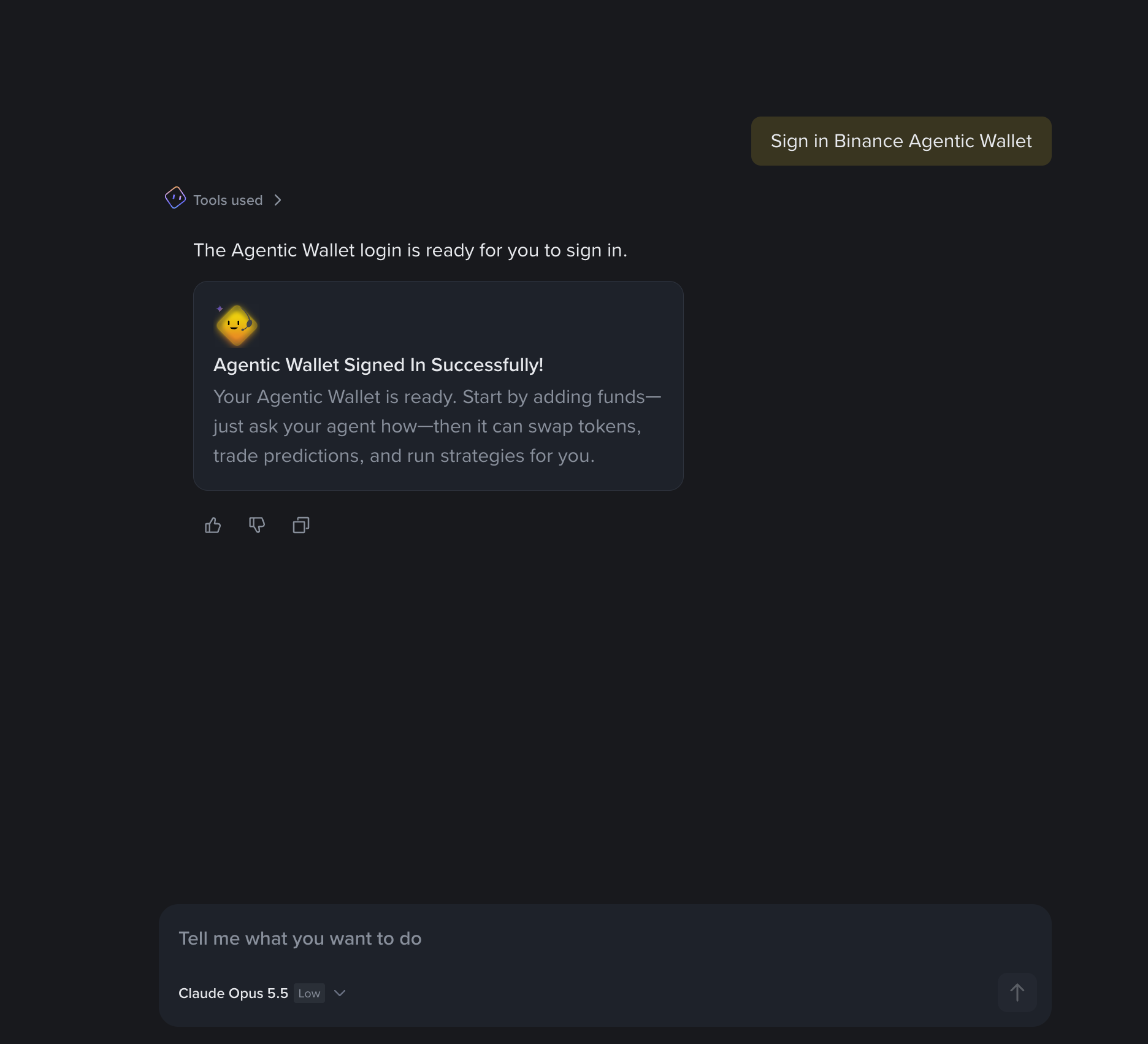
- If you already have an Agentic Wallet — the chat returns a sign-in prompt. Confirm it there and you are signed in, ready to operate.
- If you don't have one yet — the same sentence creates it. Creation completes inside the chat, and you end up signed in once it is done.
Unlike the standard flow on Install Agentic Wallet, where creation and sign-in are confirmed in the Binance App, AI Pro keeps both in the chat.
2. Check balances
"Check the Balance"
"How much USDT is in my Agentic Wallet?"
"查一下我的 Agentic Wallet 余额"
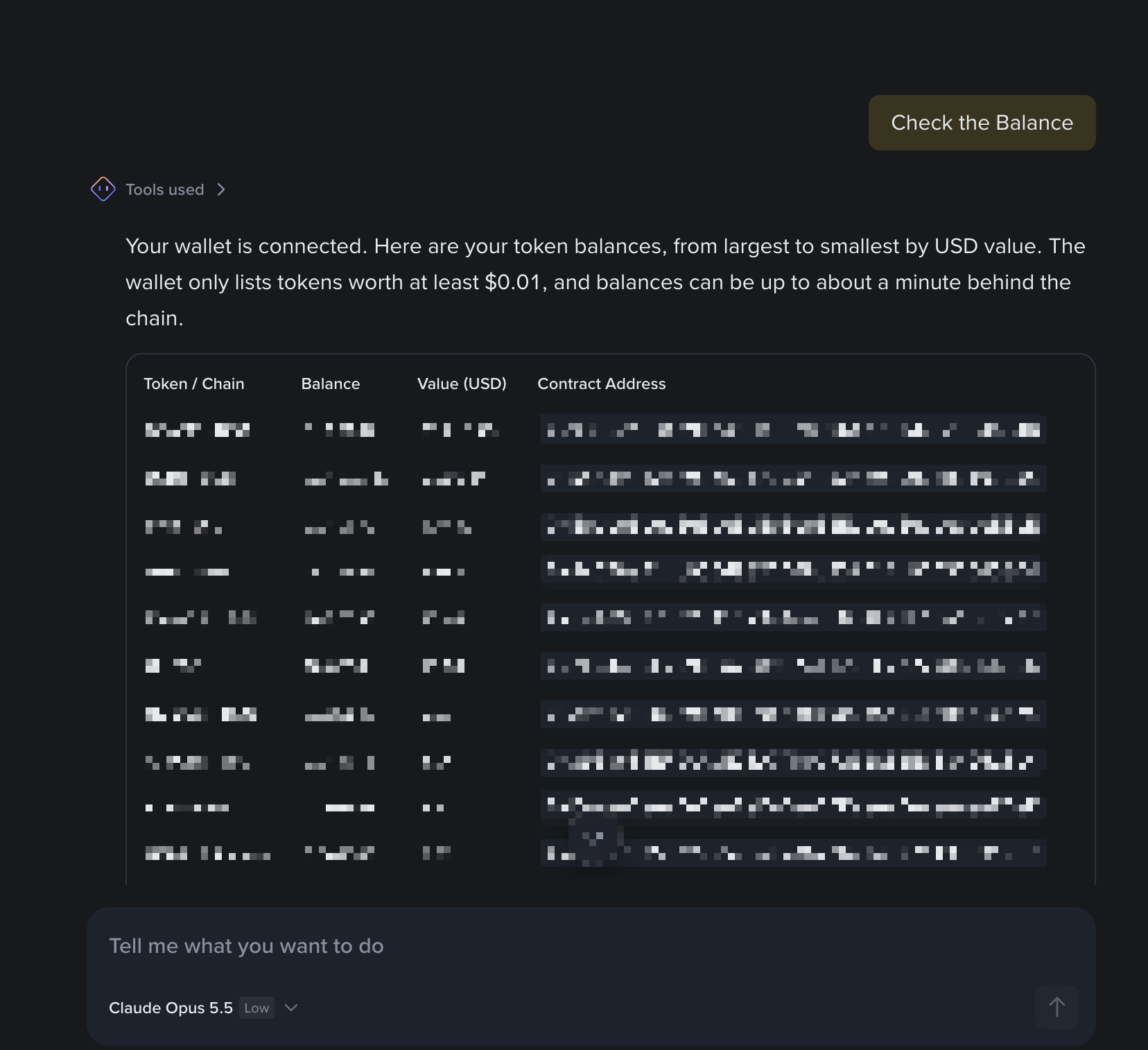
The holdings table is sorted by USD value, from largest to smallest, and lists token / chain, balance, USD value and contract address. Two things to know:
- Only tokens worth at least $0.01 are listed — smaller dust balances do not appear.
- Balances can lag the chain by up to about a minute, so a transaction you just made may not show immediately.
3. Send tokens
"Send 10 USDT to 0x1234…"
"给 0x1234… 转 10 USDT"
The recipient must already be in your Address Book, otherwise the transfer is rejected. Add one in Binance App → Wallet → Settings → Address Book.
The Agent returns the transfer details for review and only executes after you confirm.
Sending to a domain
Your Agent ID works as a recipient too, as do ENS (.eth) and SpaceID (.bnb) names:
"Can you send 1 USDT to alice.ai?"
"给 alice.ai 转 1 USDT"
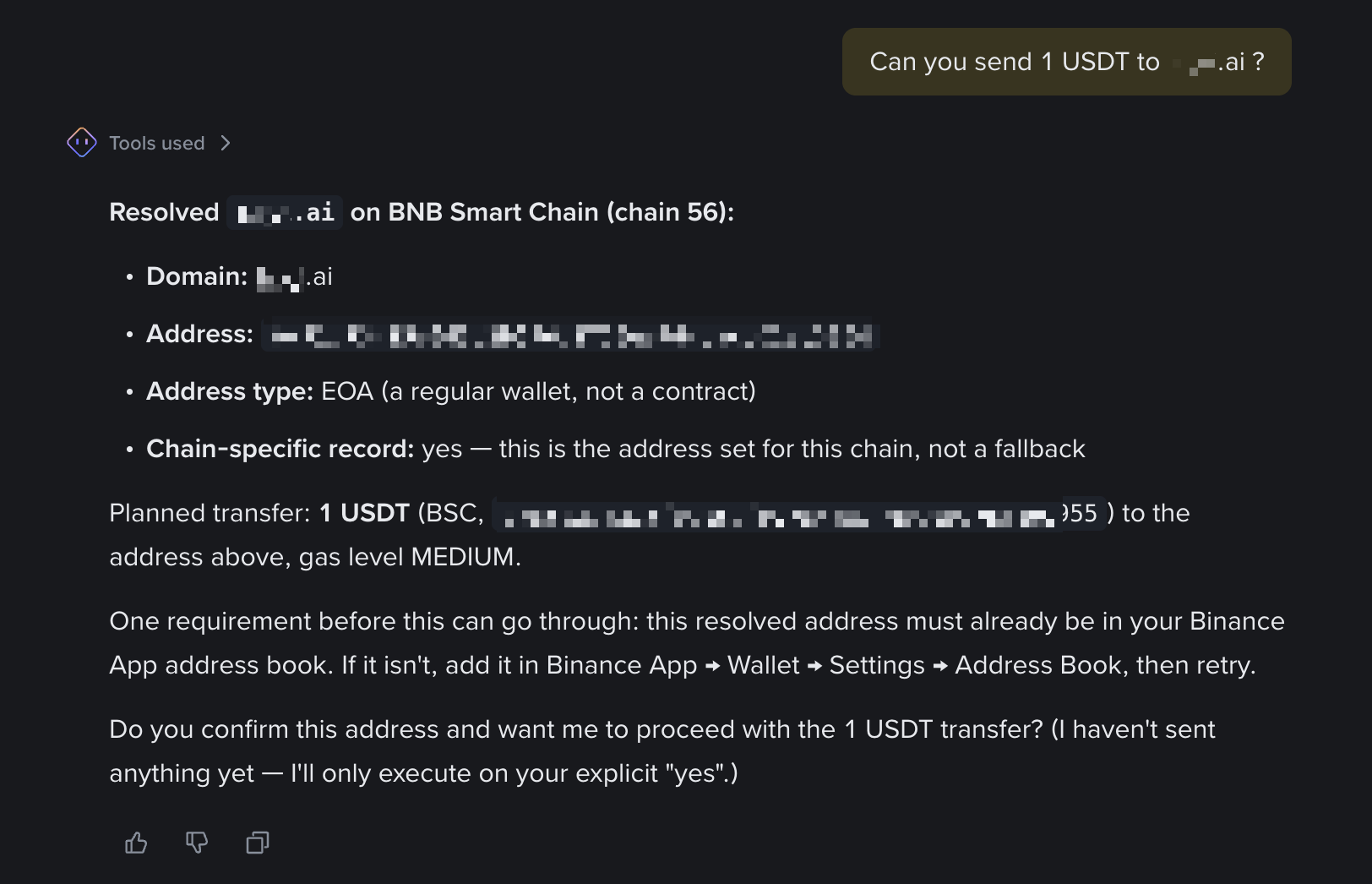
A domain is never sent to directly. The Agent resolves it first and shows you what it found:
| Field | Why it matters |
|---|---|
| Address | The full resolved address — check it before confirming |
| Address type | EOA is a regular wallet. A contract may be unable to receive or return tokens |
| Chain-specific record | yes means the owner set this address for this chain. Otherwise it is the domain's default, which the owner may not control here |
The resolved address still has to be in your Address Book, and the Agent waits for an explicit confirmation before sending. Send Tokens covers the Address Book requirement and the other transfer rules.
4. Swap
"Swap 1 BSC USDT for BNB"
"把 1 USDT 换成 BNB"
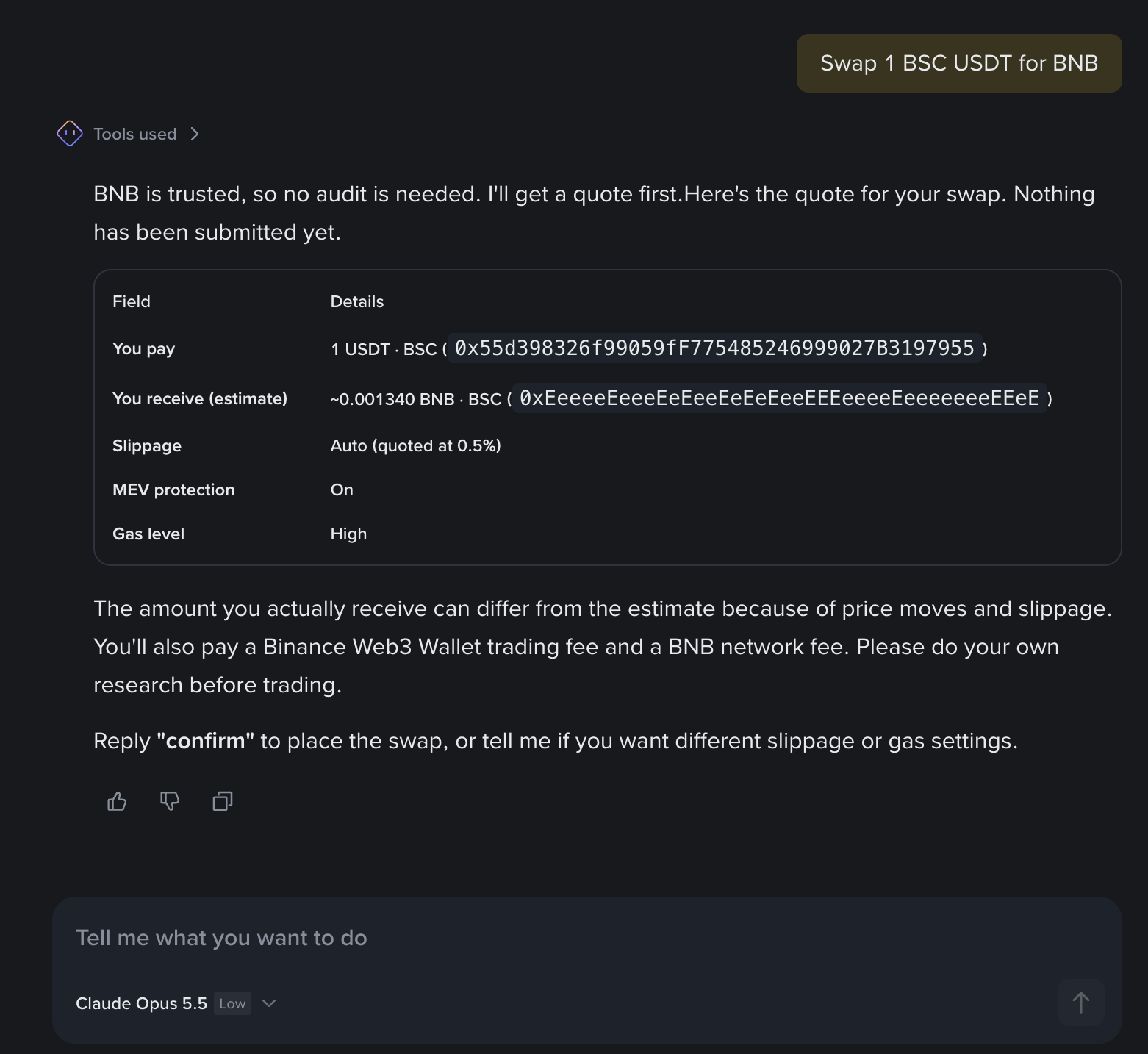
The Agent fetches a quote first and shows the details — amount paid, estimated amount received, slippage, MEV protection and gas level. Nothing has been submitted at this point.
The swap is only placed once you reply confirm. Before confirming, you can also ask for
different slippage or gas settings.
A few things to know:
- The amount you actually receive can differ from the estimate, depending on price moves and slippage.
- A Binance Web3 Wallet trading fee applies on top of the network fee.
- Untrusted tokens are security-audited first; trusted tokens such as BNB skip that step.
5. Look up new token launches
"Check the newest 10 token launched from Fourmeme BSC and make a list"
"列出 Four.meme 在 BSC 上最新发射的 10 个代币"
The Agent reads the new-launch feed and returns what it finds — name, contract, age, and early buying activity.
It tells you when it could not fill your request rather than padding the list. If fewer tokens match than you asked for — because the recent launches came from a different launchpad, or the feed does not reach further back — it says so and returns what it has.
Newly launched tokens are minutes old and carry very high risk. The list is data, not a recommendation — run a token safety check before trading any of them.
More to come
Limit orders, prediction markets, tokenized securities, DeFi and other scenarios will be added. For the full capability list today, see Use Cases Overview.
Everything here stays within the daily limit, tradable token scope and high-risk transaction handling you set in the Binance App — the same rules a self-hosted Agent follows.
What's next
- Use Cases Overview — the full capability list
- Security & Settings — daily limit, token scope, approvals
- Set Up Your Agent — if you'd rather pick your own model or work in your own environment